Congratulations! You’ve had your card for a year and you’ve seen all of the great benefits that medical marijuana has to offer for Mississippi Residents! But now it’s time to renew your card.
The great news is, you’re just a few short steps away from renewal. To complete your certification, you will need to follow these steps:
Step 0: Schedule a Follow-Up Appointment with Your Certifying Doctor
This step is essential for the renewal of your medical marijuana card. You cannot receive a renewal without a doctor’s recommendation. The physician that recommended you for your original card will have all of your information, and will just need to ask a few questions about how this past year has gone for you. Once this is done, you only have a few steps left!
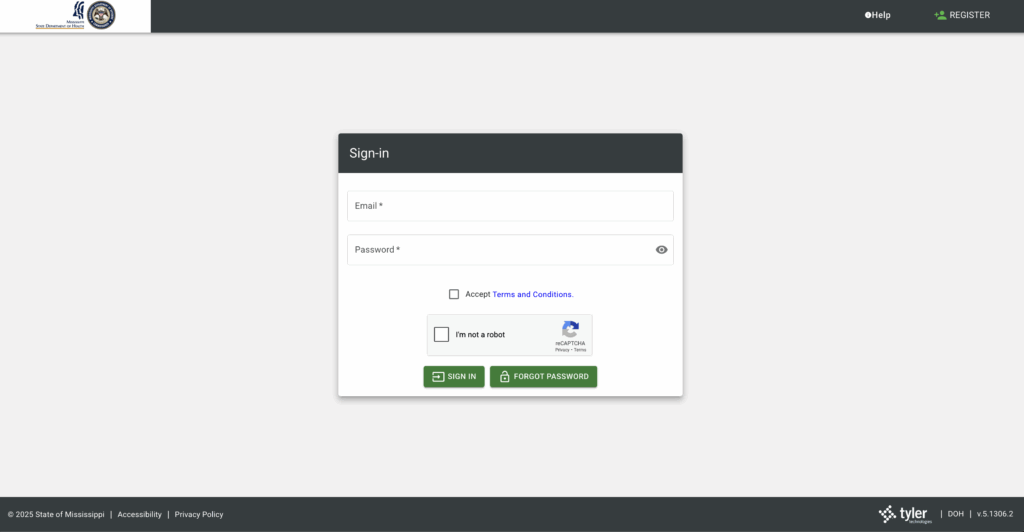
Step 1: Login to your MS-DOH Account
Logging in is simple and easy, just visit https://ms-doh-public.nls.egov.com/. Once there, just log in with the same information that you created your account with.
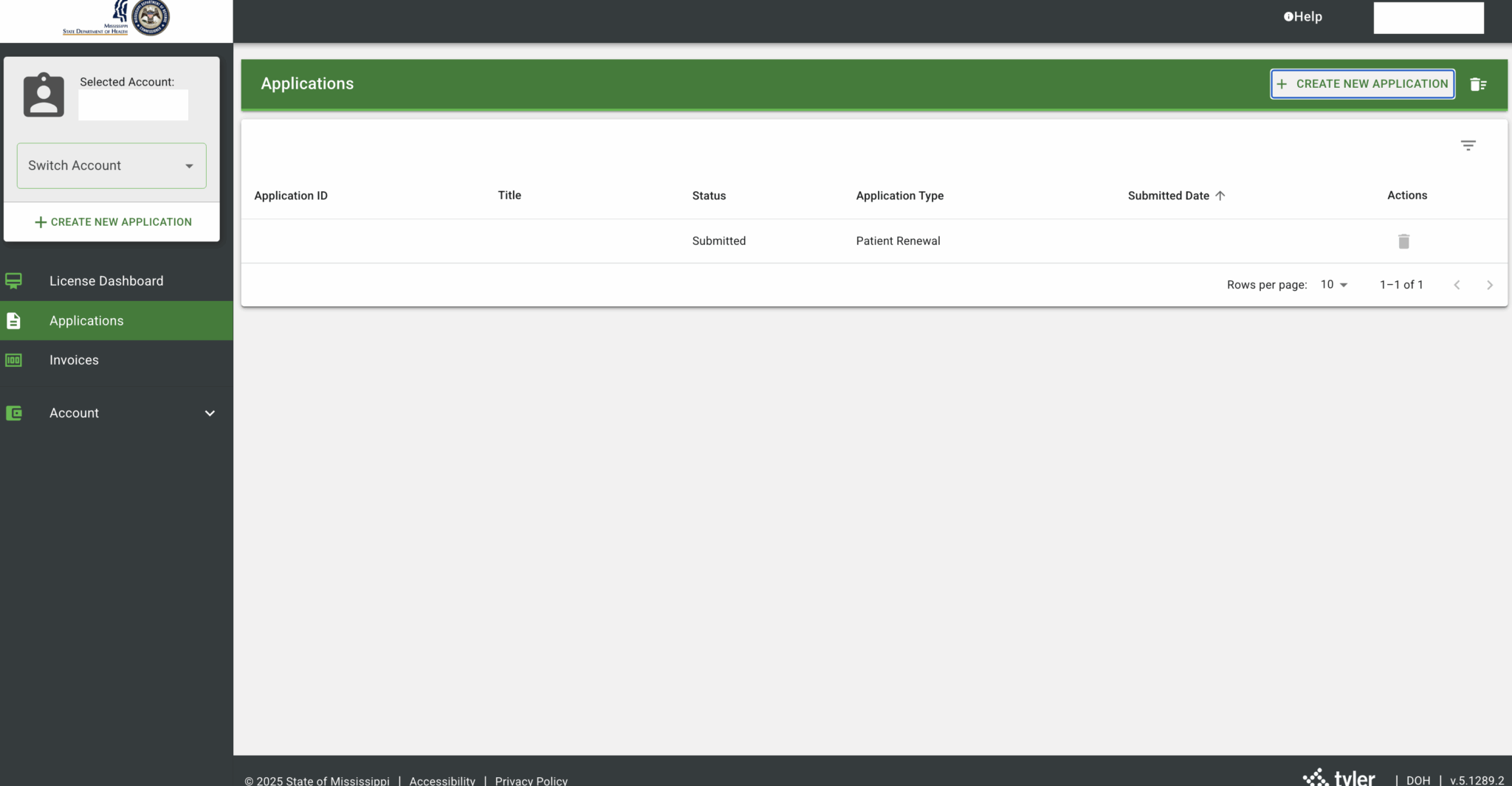
Step 2: Select The Applications Tab and Start a New Application
Once Logged in, all you need to do is click the applications tab, then click the Create New Application Button in the top right corner.
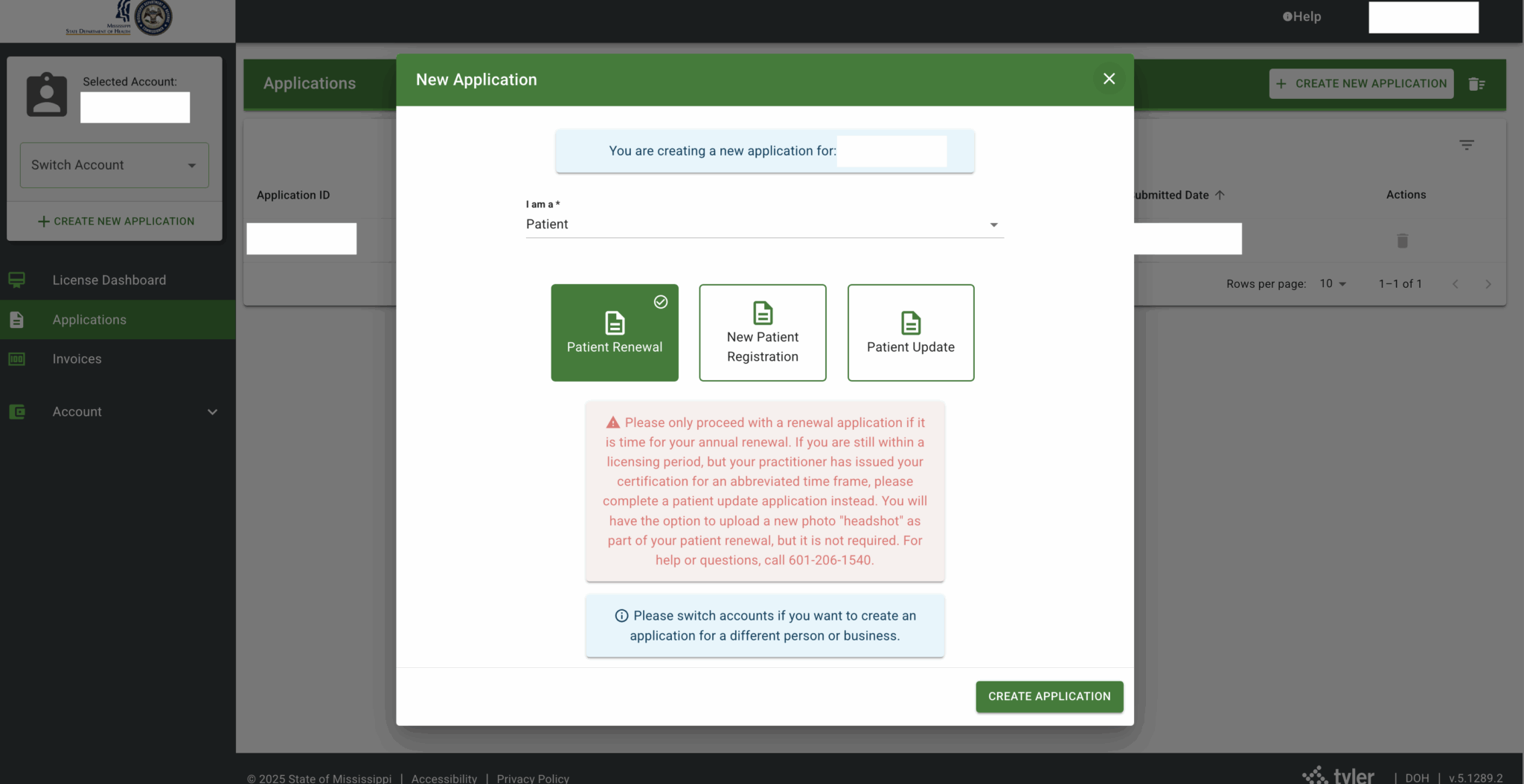
Step 3: Select Renewal Application
Once you click Create a New Application, you’ll receive a pop up. On this pop up, click Renewal Application.
Step 4: Select Your License
On this page, click the drop down menu and select your license and click Save.
Step 5: The General Information Tab
This tab is the easiest tab. Check through all of this information to see if anything is wrong or outdated. If anything is different, change it. If not, simply click Save and Next.
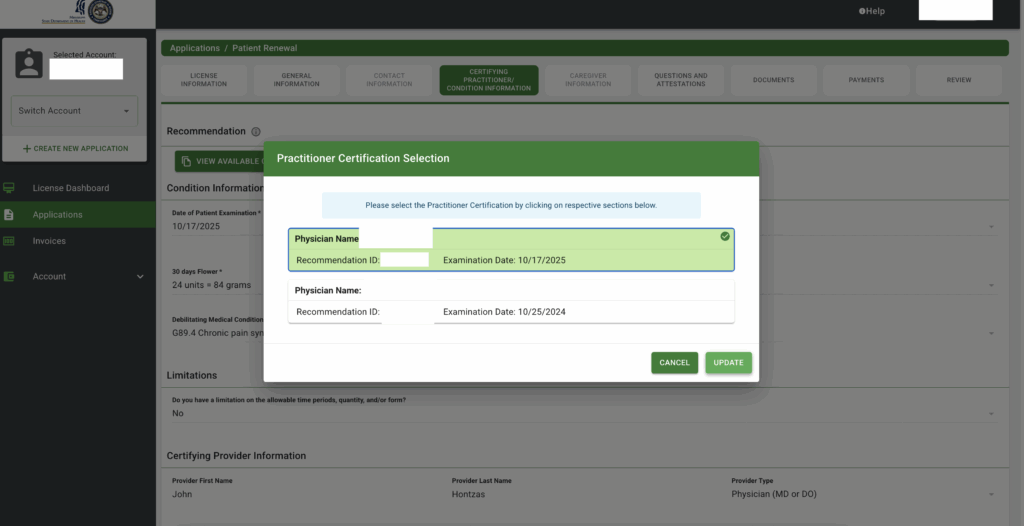
Step 6: The Certifying Practitioner/Condition Information
On this tab, click View Available Certifications and select the most recent exam. Once you do, click update and it will automatically populate your practitioner information. Then click Save and Next.
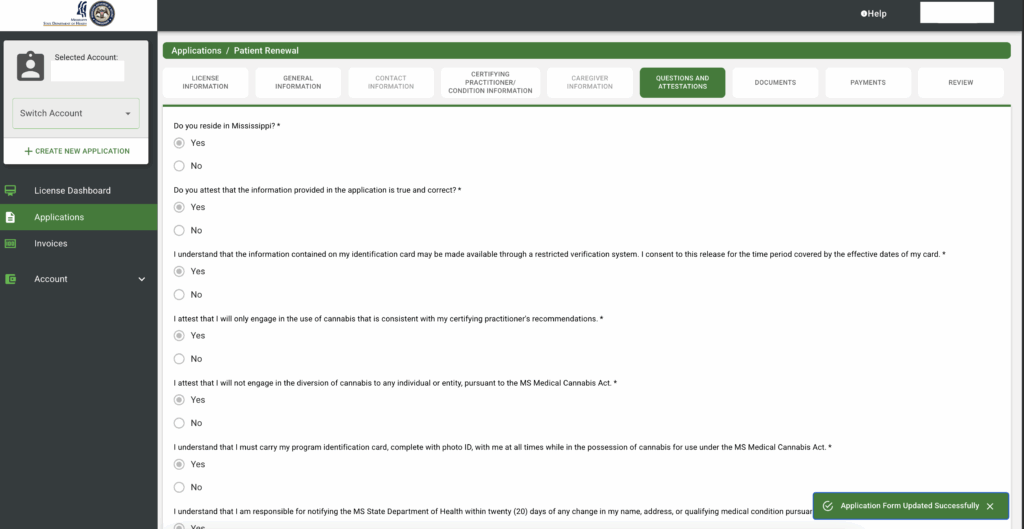
Step 7: The Questions and Attestations Tab
In this tab, you need to read each question and answer them truthfully. This tab is about the rules and regulations with the Mississippi Medical Marijuana Program.
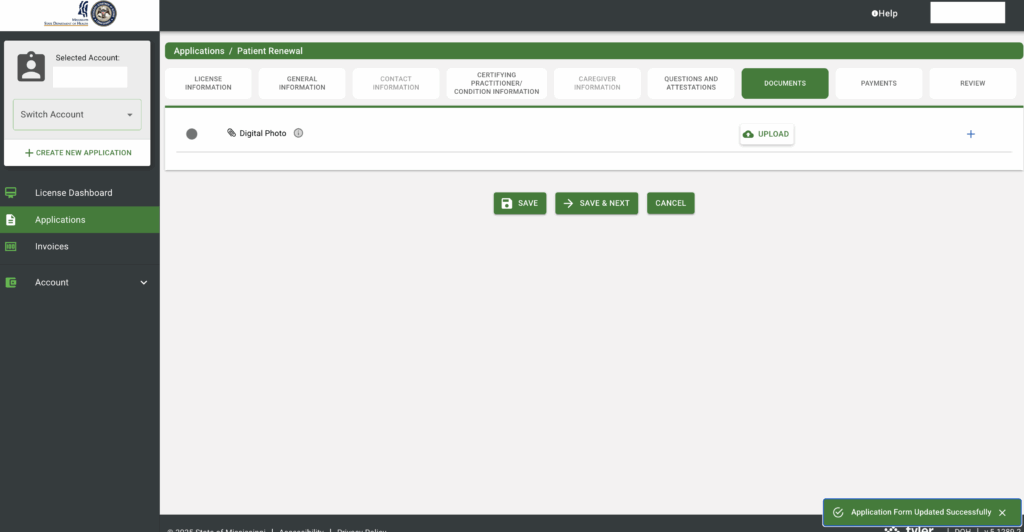
Step 7: The Documents Tab
This tab is extremely easy. You don’t have to redo your License photo, just click Save and Next.
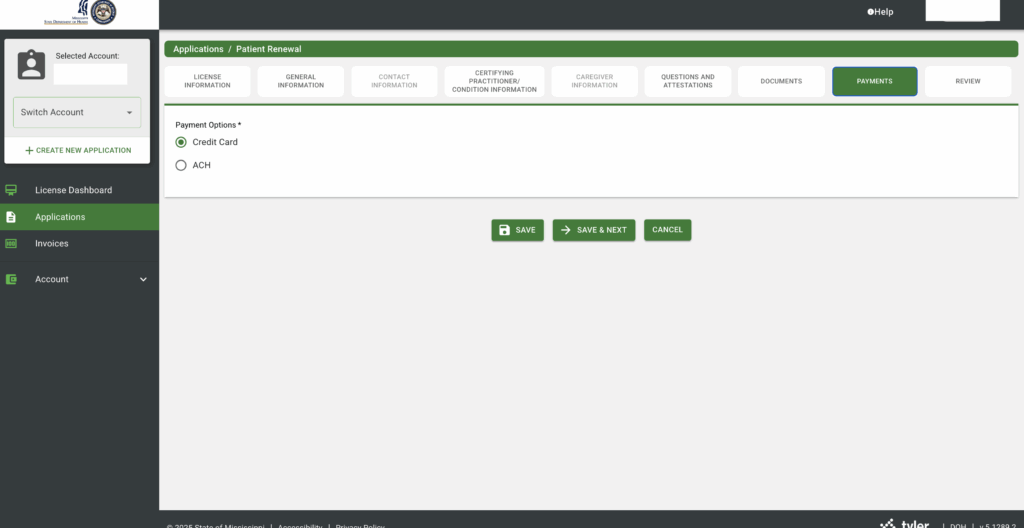
Step 8: The Payments Tab
For this section, simply put how you would like to pay for your license. Your payment amount will be displayed before you click Confirm to pay on the Review tab.
Step 9: The Review Tab
On this tab, thoroughly review all of your information. Once you have double checked that all of the information on this tab is correct, you can click Pay and Submit. Here you will enter your payment information and then submit your application.
Step 10: Wait for Your Certification
Now all you have to do is wait for your application to be processed. This process typically takes around 3-5 Business days but can be shorter. Once confirmed, you will receive an email saying that your license has been confirmed. If you have any issues with your application, you will receive an email about what information needs to be updated.
Step 11: Download Your Updated License
Congratulations! You have completed the application process! Don’t Forget to log back in to the MS DOH portal and select the license Dashboard. Click Print Digital Card in the top right corner. You can either print this out, take a screenshot on your phone, or ask the dispensary to print it out for you.
That’s it! You’ve got your doctor’s recommendation, completed certification, received your license and purchased your medical cannabis. Now you can sit back, relax and enjoy relief from your negative symptoms.